
Topic 201: Linux Kernel
Kursvorgaben LPI:
Topic 201: Linux Kernel
201.1 Kernel components (weight: 2)
Candidates should be able to utilise kernel components that are necessary to specific hardware, hardware drivers, system resources and requirements. This objective includes implementing different types of kernel images, understanding stable and longterm kernels and patches, as well as using kernel modules.
Key Knowledge Areas
- Kernel 2.6.x, 3.x and 4.x documentation
The following is a partial list of the used files, terms and utilities
- lsinitramfs /boot/initrd.... | grep module | head
- update-initramfs -k all -u
- dracut
- in vielen distries ersatz für initramfs
- cpio
- /usr/lib/modules
- /usr/src/linux
- /usr/src/linux/Documentation
- zImage
- bzImage
- xz compression
- sysctl -A | grep modules_d
- sysctl -w 'kernel.modules_disabled=1'
Dokumentation
- zImage vs. bzImage
- cmdline: cat/proc/cmdline
- modules.dep
- mappings: pci IDs zu treibern
- depmod -a erstellt diese dep dateien neu. interesssant für kernel dev
- modinfo $KERNEL_MODULE
- zeigt auch firmware dateien
- dummy netzwerkkarte
- ip --br link show
- root@notebook12:/home/nutzer12# modprobe -r dummy
- root@notebook12:/home/nutzer12# modprobe dummy numdummies=1
- modprobe -r // löscht
- man modprobe.conf << datei gibt es garnicht mehr. man page heißt aber noch so !!A
- alias ipv6 off: off gibt es nicht. deaktiviert ipv6 da das modul nicht geladen werden kann
- lsdev // in procinfo
201.2 Compiling a Linux kernel (weight: 3)
Candidates should be able to properly configure a kernel to include or disable specific features of the Linux kernel as necessary. This objective includes compiling and recompiling the Linux kernel as needed, updating and noting changes in a new kernel, creating an initrd image and installing new kernels.
Key Knowledge Areas
- /usr/src/linux/
- Kernel Makefiles
- Kernel 2.6.x, 3.x and 4.x make targets
- Customize the current kernel configuration.
- Build a new kernel and appropriate kernel modules.
- Install a new kernel and any modules.
- Ensure that the boot manager can locate the new kernel and associated files.
- Module configuration files
- Use DKMS to compile kernel modules.
- Awareness of dracut
The following is a partial list of the used files, terms and utilities
- mkinitrd
- mkinitramfs: wird unter debian von update-initramfs aufgerufen
- /etc/initramfs-tools/*
- make
- make targets (all, config, xconfig, menuconfig, gconfig, oldconfig, mrproper, zImage, bzImage, modules, modules_install, rpm-pkg, binrpm-pkg, deb-pkg)
- .PHONY: clean
- clean:
- rm *.txt temp
- https://www.gnu.org/software/make/manual/html_node/Phony-Targets.html
- gzip
- bzip2
- module tools
- /usr/src/linux/.config
- /lib/modules/kernel-version/*
- depmod
- dkms
- kompiliert ein source kernel modul neu sobald ein neuer kernel installiert wird
- dkms add -m xyz -v 1.2.3
- dkms build -m
- dkms install -m
201.3 Kernel runtime management and troubleshooting (weight: 4)
Candidates should be able to manage and/or query a 2.6.x, 3.x or 4.x kernel and its loadable modules. Candidates should be able to identify and correct common boot and run time issues. Candidates should understand device detection and management using udev. This objective includes troubleshooting udev rules.
Key Knowledge Areas
- Use command-line utilities to get information about the currently running kernel and kernel modules.
- Manually load and unload kernel modules.
- Determine when modules can be unloaded.
- Determine what parameters a module accepts.
- Configure the system to load modules by names other than their file name.
- /proc filesystem
- Content of /, /boot , and /lib/modules
- Tools and utilities to analyse information about the available hardware
- udev rules
- Gerätenamen vergeben
The following is a partial list of the used files, terms and utilities
- /lib/modules/kernel-version/modules.dep
- module configuration files in /etc
- /proc/sys/kernel/
- /sbin/depmod
- /sbin/rmmod
- /sbin/modinfo
- /bin/dmesg
- 64k ringbuffer des kernels auslesen
- dmesg -Tw // Timestamp statt offset und following mode
- /sbin/lspci
- lspci -n
- lspci -s 01:00.1 -vv
- lspci -s 01:00.1 -k
- /usr/bin/lsdev
- /sbin/lsmod
- /sbin/modprobe
- /sbin/insmod
- /bin/uname
- /usr/bin/lsusb
- /etc/sysctl.conf, /etc/sysctl.d/
- /sbin/sysctl
- udevmonitor
- udevadm monitor
- /etc/udev
- /usr/lib/udev/rules.d/
- alternativ: systemd.link
- /etc/systemd/network/10-dummy.link
Beispiele
- kernel
- udev
201.1 Kernel components
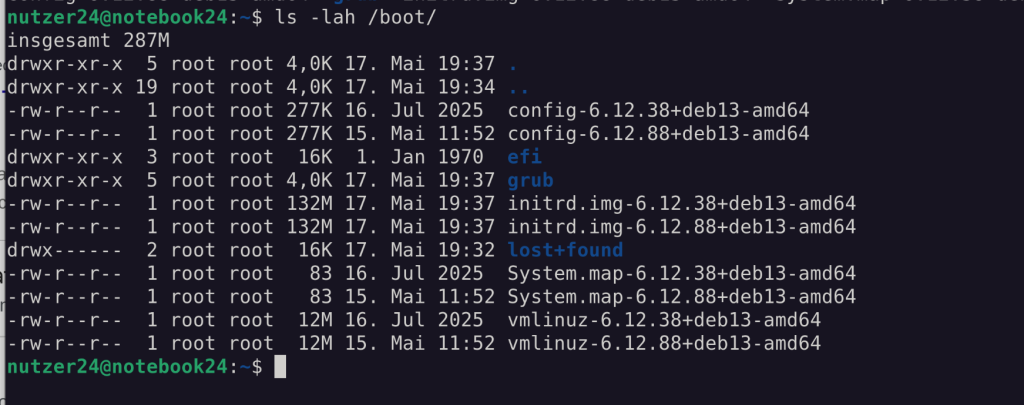
- Der Kernel selber (Kernel Binary / vmlinuz …)
- Die initrd (Alle Komponenten, die für den Systemstart notwendig sind)
- Kernel Module
- Kernel Parameter (/proc/cmdline)
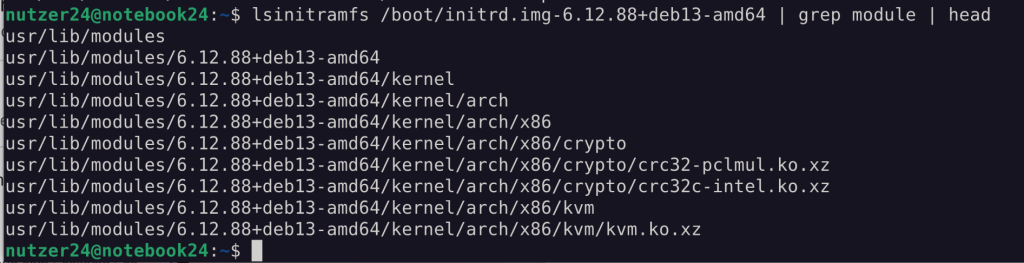
Kernel module liegen in /usr/lib/modules/[kernel]/

zImage vs. bzImage: https://www.kernel.org/doc/Documentation/x86/boot.txt
201.2 Compiling a Linux kernel
Kernel Compile
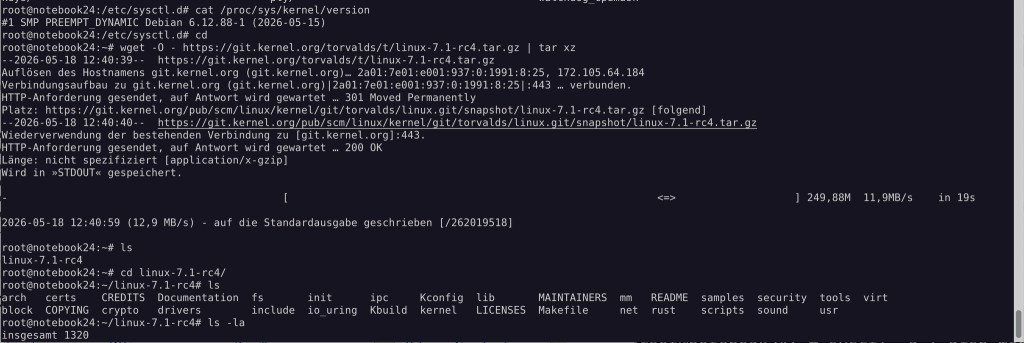
Kernel herunterladen:
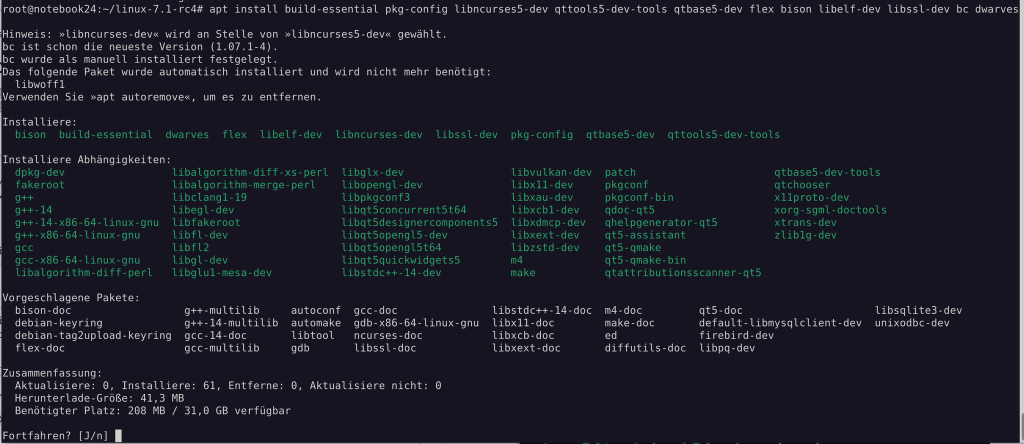
Prerequisites installieren:
Kernel kompilieren
Pakete: build-essential pkg-config libncurses5-dev qttools5-dev-tools qtbase5-dev flex bison libelf-dev libssl-dev bc dwarves
Debian (ab 7)
cd
wget -O - https://cdn.kernel.org/pub/linux/kernel/v5.x/linux-5.9.1.tar.xz | tar xJ
sudo ln -s ~/linux-5.9.1 /usr/src/linux
cd /usr/src/linux
make help
make olddefconfig
make localmodconfig
oder
make localyesconfig
grep -c '^processor' /proc/cpuinfo
make -j 8 all
sudo make modules_install install
ausgewählte Optionen für Kernel .config
CONFIG_KERNEL_XZ=y
makefile
einfaches Beispiel
all: datei1 datei2
	$(ECHO) done

ECHO=echo

datei1: datei3
	echo datei1 > datei1

datei2:
	echo datei2 > datei2

datei3:
	echo datei3 > datei3

datei4:
	$(ECHO) datei4 > datei4

klammeraffe:
	touch $@

kleiner: klammeraffe
	echo $< > $@

.c.o:
	echo $< > $@
make initram
Moduldatei editieren, wenn Module beim BOOTVORGANG schon benötigt wird
root@notebook24:/etc/initramfs-tools# vim modulesGgf. eine conf erzeugen, die passende Konfiguration für das Modul enthält
root@notebook24:/etc/initramfs-tools# vim /etc/modprobe.d/99-dummy.confInitram neu aufbauen
root@notebook24:/etc/initramfs-tools# update-initramfs -k all -uModerner: DRACUT
DKMS
DELL Dynamic Kernel Module System
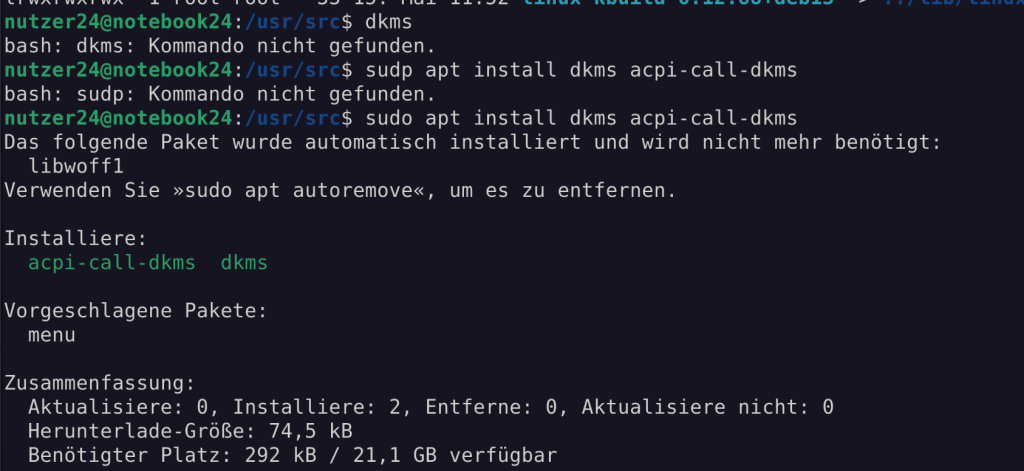
https://wiki.ubuntuusers.de/DKMS/
add /build / install / remove …

201.3 Kernel runtime management and troubleshooting
sysctl
sysctl: Modifikation und Anzeige der Laufzeiteinstellungen des Kernels. Hat ca. 1500 verschiedene Schalter und Einstellungen.

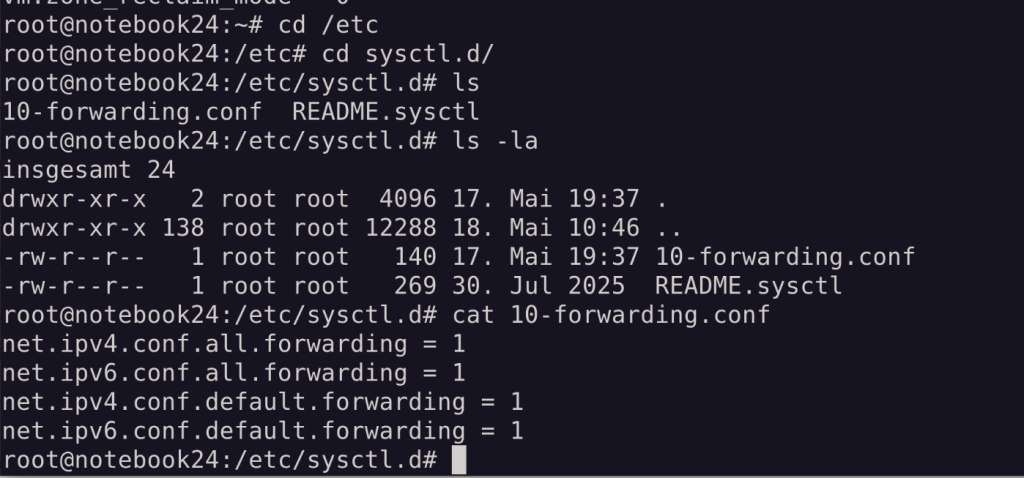
Früher gab es auch noch eine /etc/sysctl.conf. Mittlerweile ist diese Konfiguration auch “gelayert” und .conf Dateien können im Unterverzeichnis abgelegt werden.
/proc/sys/kernel ist das exakte Abbild aller Kernel Optionen, hier als Verzeichnisstruktur.
sysrq
Wenn das System nicht mehr reagiert ( z.B. überhohe Last, X Absturz ) gibt es als letzte Rettung oft nur die „magischen“ Tastenkombinationen aus ALTGr + SysRq + Buchstabe. Wobei „SysRq“ die „Druck“-, bzw. „S-Abf“-Taste meint.3):
Buchstabe | Funktion | |
|---|---|---|
h | Hilfe zu den SysRq Keys anzeigen | help |
e | Allen Prozessen ( außer init ) das Signal TERM schicken | tErm |
i | Allen Prozessen ( außer init ) das Signal KILL schicken | kIll |
s | Alle gemounteten Dateisysteme syncen | Sync |
u | Alle Dateisysteme umounten | Umount |
b | System sofort rebooten | reBoot |
o | System sofort ausschalten | powerOff |
k | Alle Prozesse dieses Terminals killen | KillTTY |
- Eselsbrücken: BUSTIER ← (dann allerdings von Hinten nach Vorne)
- SUB - hektisches Notaus
Kist sehr nützlich, um die grafische Oberfläche zu beenden. (Ersatz für Ctrl+Alt+Backspace)
sysctl -w 'kernel.sysrq=1'Diese Einstellungen rebootfest machen:
/etc/sysctl.d/kernel.conf :
kernel.sysrq = 1dmesg
Die Abenteuer des Kernels “dmesg -TW”
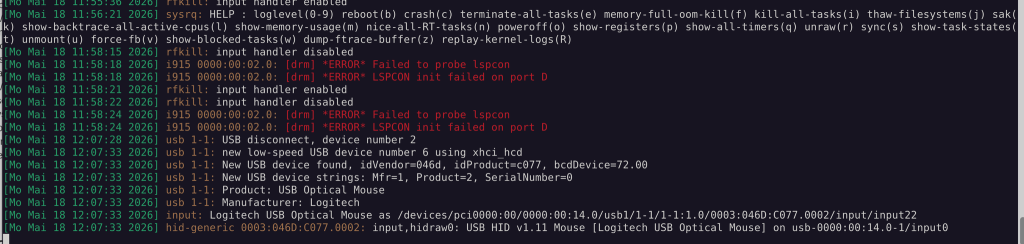
- lsusb zeig auch Geräte an, die ggf. hier nicht auftauchen (Aktueller Gerätestatus)
- lscpi zeig auch Geräte an, die ggf. hier nicht auftauchen (Aktueller Gerätestatus)
- lspci -k Zeigt dabei die verfügbaren und auch die verwendeten Kernel Module an
Damit kann ich z.B. auch Geräte anzeigen lassen, die ggf. kein passendes Kernel Modul haben.
module

Kernel Module liegen in /usr/lib/modules/[kernel] und können mit depmod -a neu aufgebaut werden.

lsmod: Zeigt die Liste aller geladenen Module pro Gerät
modinfo: Zeit die Modul Details zu einem Modul. Hier wird auch angezeigt, ob ein Treiber Firmware mitbringt (meistens closed source), die dann direkt in der Hardware geladen wird.
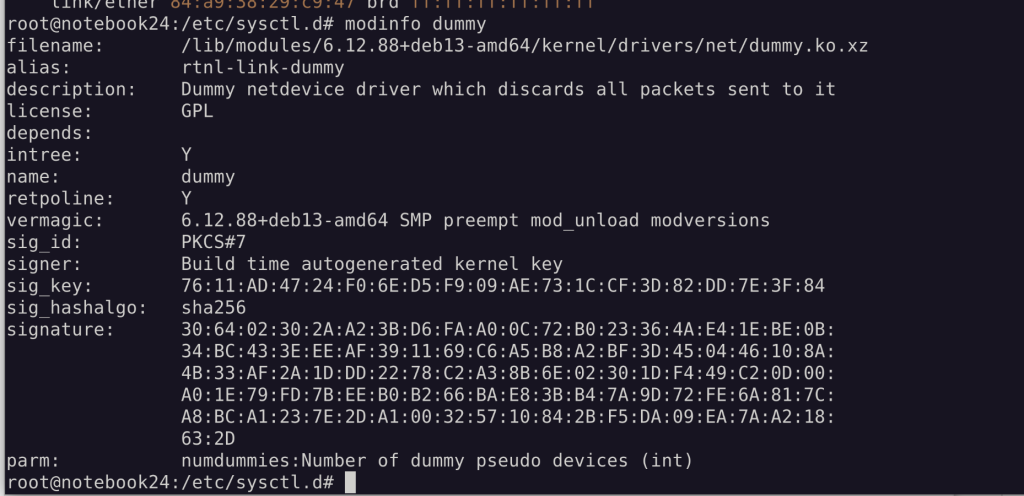
Mit dem Dummy Device kann man Dinge ausprobieren, ohne Systemdevices zu verwenden.
modprobe dummy numdummies=1 legt ein Dummy device an
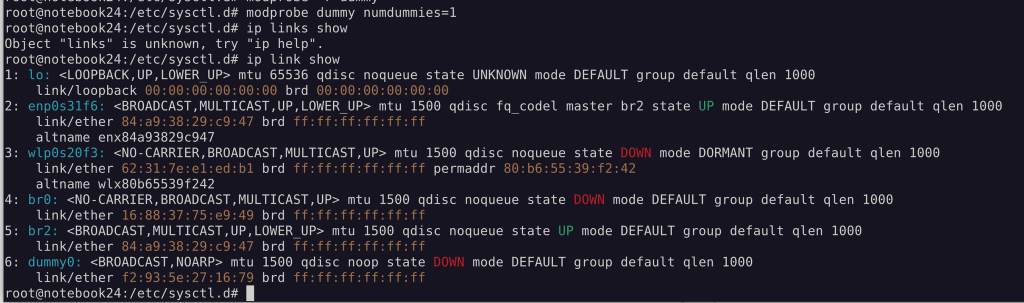
Fakt: Nachsehen wie man dummy automatisch einen dummy anlegen lässt: man modprobe.conf
modprobe ist eigentlich nur noch ein Frontend für kmod, welches alle Kernel Modul aktivitäten steuert. insmod (single install) und rmmod (hartes unload)sind auch nur noch alias Befehle. Der Unterschied zwischen modprobe und insmod ist, das modprobe auch abhängige Module lädt, insmod nicht.
udev
Beispiel: Dummy Netzwerkinterface dummy0 in intern0 umbenennen
... mit udev.rules
Dummy Netzwerkinterface erzeugen
modprobe dummy numdummies=1
ip link show dummy0
udev Regel erstellen
Netzdevice umbenennen
udevadm info -a /sys/class/net/dummy0/etc/udev/rules.d/70-persistent-net.rules
…
ACTION=="add", SUBSYSTEM=="net", KERNEL=="dummy0", NAME="intern0"
…
Konfigurationsdatei prüfen:
udevadm test /sys/class/net/dummy0erstes Terminalfenster:
udevadm monitorzweites Terminalfenster:
Konfiguration neu laden:
udevadm control --reload-rulesModul neu laden:
modprobe -r dummy
modprobe dummy numdummies=1
ip link
oder (ohne neu laden des Moduls):
udevadm trigger -v --action=add --attr-match=subsystem=net --attr-match=address=52:54:00:1d:c5:52... mit systemd.link
/etc/systemd/network/10-dummy.link
[Match]
OriginalName=dummy0

[Link]
Name=intern0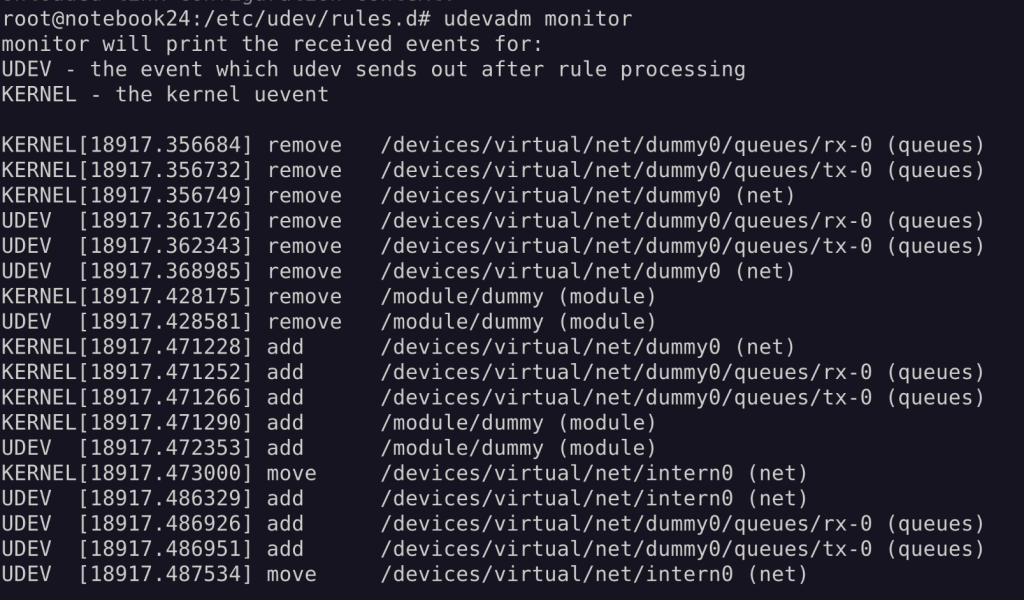
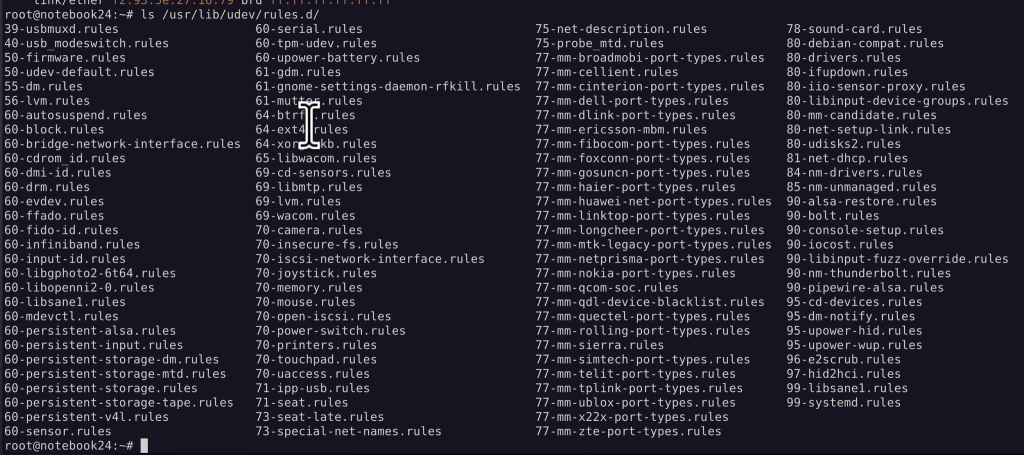
Standard System udev Rules:
No comments to display
No comments to display