
Topic 204: Advanced Storage Device Administration
Kursvorgaben LPI:
Topic 204: Advanced Storage Device Administration
204.1 Configuring RAID (weight: 3)
Candidates should be able to configure and implement software RAID. This objective includes using and configuring RAID 0, 1 and 5.
Key Knowledge Areas
- Software RAID configuration files and utilities
The following is a partial list of the used files, terms and utilities
- mdadm.conf
- kann man auch die RAIDs eintragen ohne scan.
- mdadm
- /proc/mdstat
- kopakte übersicht über alle mdraids
- partition type 0xFD
Beispiele
- raid
204.2 Adjusting Storage Device Access (weight: 2)
Candidates should be able to configure kernel options to support various drives. This objective includes software tools to view & modify hard disk settings including iSCSI devices.
Key Knowledge Areas
- Tools and utilities to configure DMA for IDE devices including ATAPI and SATA
- Tools and utilities to configure Solid State Drives including AHCI and NVMe
- Tools and utilities to manipulate or analyse system resources (e.g. interrupts)
- Awareness of sdparm command and its uses
- Tools and utilities for iSCSI
- Awareness of SAN, including relevant protocols (AoE, FCoE)
The following is a partial list of the used files, terms and utilities
- hdparm, sdparm
- nvme
- tune2fs
- fstrim
- sysctl
- /dev/hd*, /dev/sd*, /dev/nvme*
- iscsiadm, scsi_id, iscsid and iscsid.conf
- WWID, WWN, LUN numbers
Beispiele
- hdparm
- SSD
- iscsi
- nvme
- WWID
- storage-kernel-options
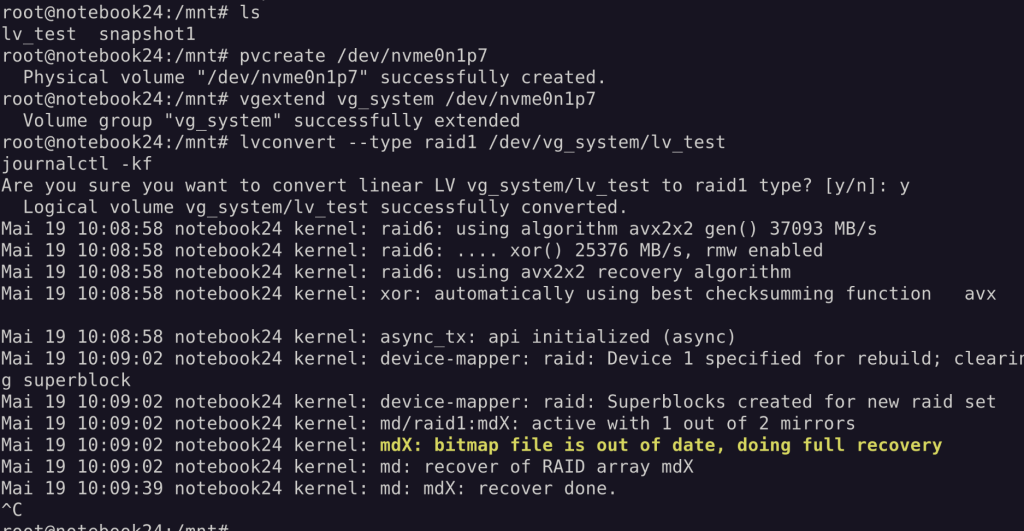
204.3 Logical Volume Manager (weight: 3)
Candidates should be able to create and remove logical volumes, volume groups, and physical volumes. This objective includes snapshots and resizing logical volumes.
Key Knowledge Areas
- Tools in the LVM suite
- Resizing, renaming, creating, and removing logical volumes, volume groups, and physical volumes
- Creating and maintaining snapshots
- Activating volume groups
The following is a partial list of the used files, terms and utilities
- /sbin/pv*
- /sbin/lv*
- /sbin/vg*
- mount
- /dev/mapper/
- lvm.conf
Beispiele
- lvm
204.1 Configuring RAID
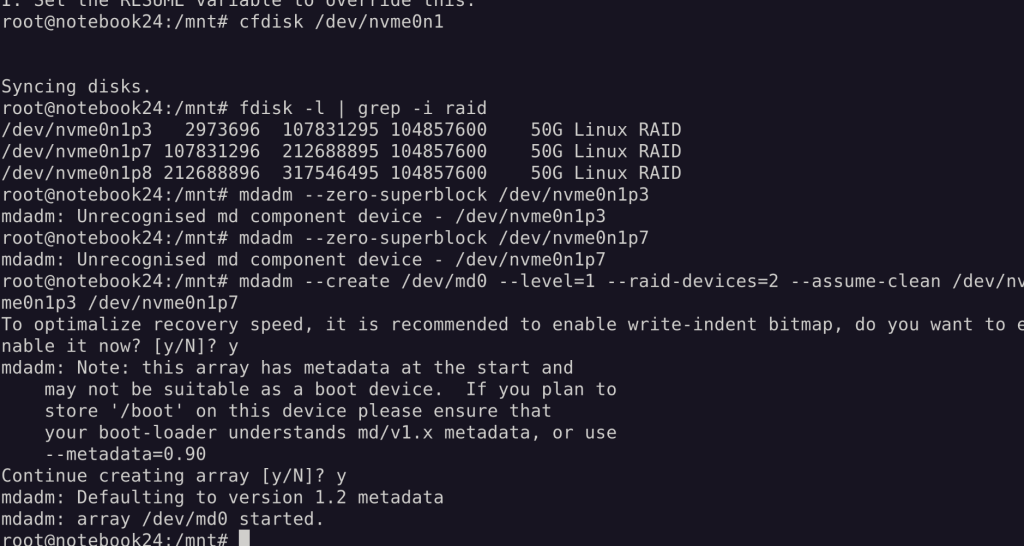
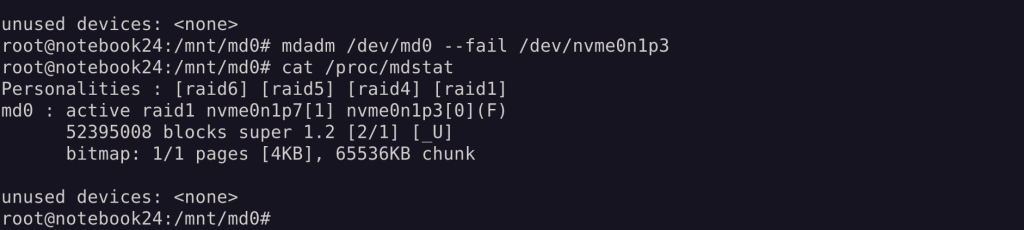
R1 → R5:
root@notebook24:/mnt/md0# mdadm --grow /dev/md0 --level=5
mdadm --detail /dev/md0
mdadm: level of /dev/md0 changed to raid5
/dev/md0:
Version : 1.2
Creation Time : Tue May 19 10:28:28 2026
Raid Level : raid5
Array Size : 52395008 (49.97 GiB 53.65 GB)
Used Dev Size : 52395008 (49.97 GiB 53.65 GB)
Raid Devices : 2
Total Devices : 2
Persistence : Superblock is persistent

 Intent Bitmap : Internal

   Update Time : Tue May 19 10:40:33 2026
         State : clean
Active Devices : 2
Working Devices : 2
Failed Devices : 0
Spare Devices : 0
        Layout : left-symmetric
    Chunk Size : 64K
Consistency Policy : bitmap
          Name : notebook24:0  (local to host notebook24)
          UUID : ecf96557:b07a8b15:9490aaa7:47cbc736
        Events : 10

Number   Major   Minor   RaidDevice State
   0     259        3        0      active sync   /dev/nvme0n1p3
   1     259        7        1      active sync   /dev/nvme0n1p7
root@notebook24:/mnt/md0# mdadm /dev/md0 --add /dev/nvme0n1p8
mdadm: added /dev/nvme0n1p8
root@notebook24:/mnt/md0# mdadm --detail /dev/md0
/dev/md0:
Version : 1.2
Creation Time : Tue May 19 10:28:28 2026
Raid Level : raid5
Array Size : 52395008 (49.97 GiB 53.65 GB)
Used Dev Size : 52395008 (49.97 GiB 53.65 GB)
Raid Devices : 2
Total Devices : 3
Persistence : Superblock is persistent
Intent Bitmap : Internal
Update Time : Tue May 19 10:41:06 2026
State : clean
Active Devices : 2
Working Devices : 3
Failed Devices : 0
Spare Devices : 1
Layout : left-symmetric
Chunk Size : 64K
Consistency Policy : bitmap
Name : notebook24:0 (local to host notebook24)
UUID : ecf96557:b07a8b15:9490aaa7:47cbc736
Events : 11
Number Major Minor RaidDevice State
0 259 3 0 active sync /dev/nvme0n1p3
1 259 7 1 active sync /dev/nvme0n1p7
2 259 8 - spare /dev/nvme0n1p8root@notebook24:/mnt/md0# mdadm --grow /dev/md0 --raid-devices=3
mdadm --detail /dev/md0
/dev/md0:
Version : 1.2
Creation Time : Tue May 19 10:28:28 2026
Raid Level : raid5
Array Size : 52395008 (49.97 GiB 53.65 GB)
Used Dev Size : 52395008 (49.97 GiB 53.65 GB)
Raid Devices : 3
Total Devices : 3
Persistence : Superblock is persistent
Intent Bitmap : Internal
Update Time : Tue May 19 10:41:41 2026
State : clean, reshaping
Active Devices : 3
Working Devices : 3
Failed Devices : 0
Spare Devices : 0
Layout : left-symmetric
Chunk Size : 64K
Consistency Policy : bitmap
Reshape Status : 0% complete
Delta Devices : 1, (2->3)
Name : notebook24:0 (local to host notebook24)
UUID : ecf96557:b07a8b15:9490aaa7:47cbc736
Events : 15
Number Major Minor RaidDevice State
0 259 3 0 active sync /dev/nvme0n1p3
1 259 7 1 active sync /dev/nvme0n1p7
2 259 8 2 active sync /dev/nvme0n1p8Folgende Info (ARRAY) kann in die /etc/mdadm/mdadm.conf eingetragen werden, um md raid beim Systemstart automatisch richtig zu konfigurieren und zu laden:

204.2 Adjusting Storage Device Access
iSCSI wichtige mountoption: _netdev damit das device nicht eingeängt wird, solange das Netzwerk noch nicht bereit ist.
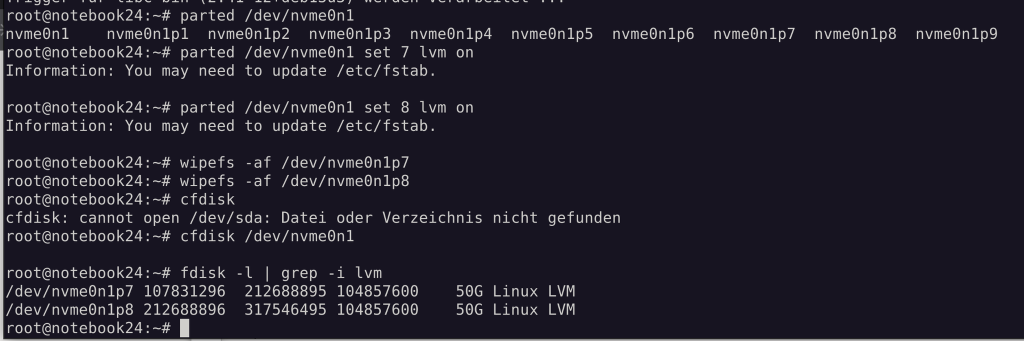
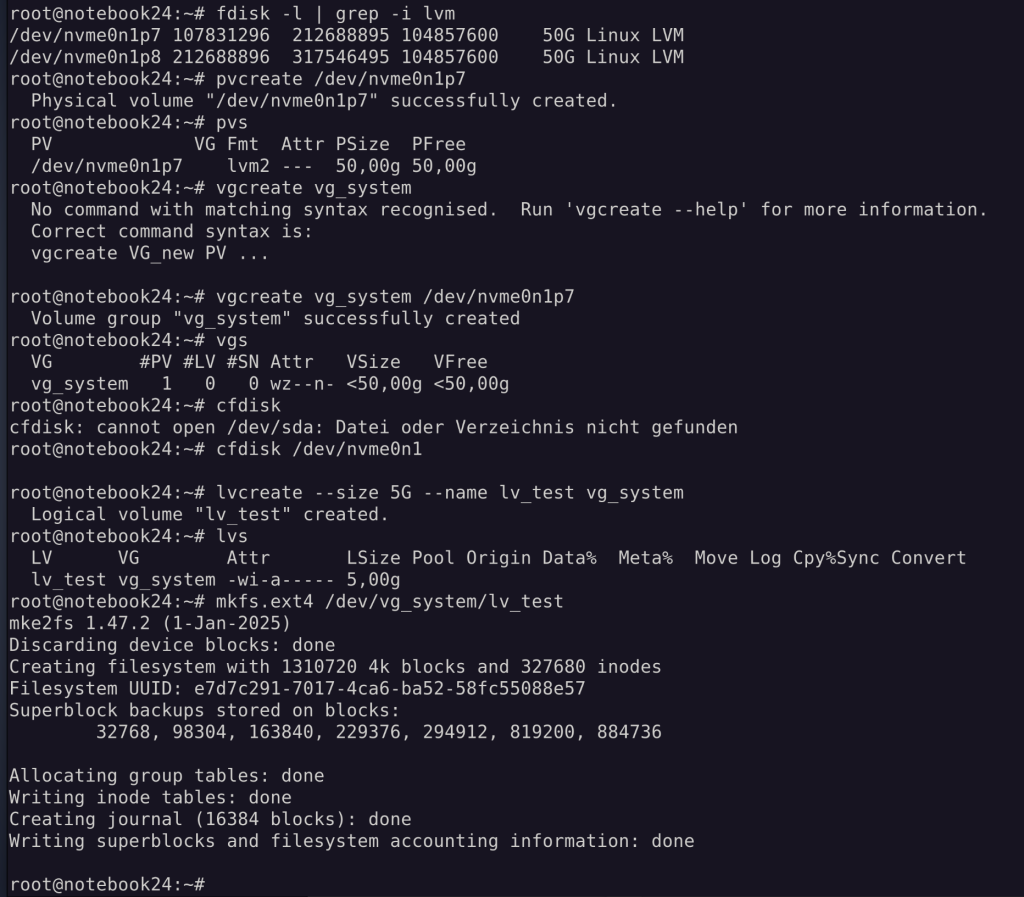
204.3 Logical Volume Manager
LVM Snapshots sind copy on write Snapshots
pvmove → Daten von einem PV auf ein neues PV migrieren
No comments to display
No comments to display