
Topic 205: Networking Configuration
Kursvorgaben LPI:
Topic 205: Networking Configuration
205.1 Basic networking configuration (weight: 3)
Candidates should be able to configure a network device to be able to connect to a local, wired or wireless, and a wide-area network. This objective includes being able to communicate between various subnets within a single network including both IPv4 and IPv6 networks.
Key Knowledge Areas
- Utilities to configure and manipulate ethernet network interfaces
- Configuring basic access to wireless networks with iw, iwconfig and iwlist
The following is a partial list of the used files, terms and utilities
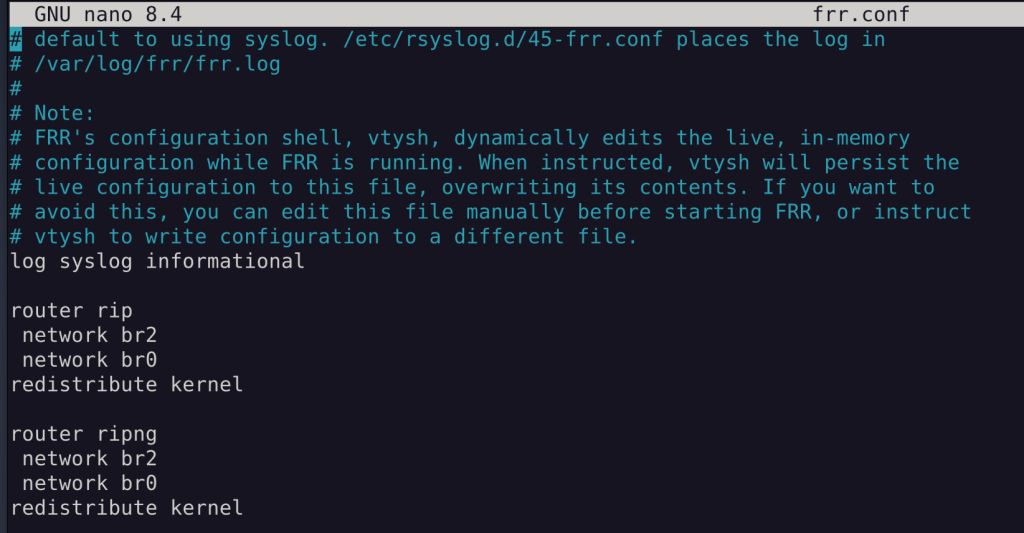
quagga
frrouting
- /etc/frr/frr.conf
BIRD
RIPng ist RIP für ipv6
- layer
- 1 Betriebssystem
- lsmod lspci dmesg ip link
- 2 Etherntet Wifi PPP...
- ip link
- ethtool
- iw
- AP, MAC, Paket
- 2,5 ARP
- ip -4 neighbor show
- 3
- IP Adress, Subnetz, Router
- v6
- ip route -6
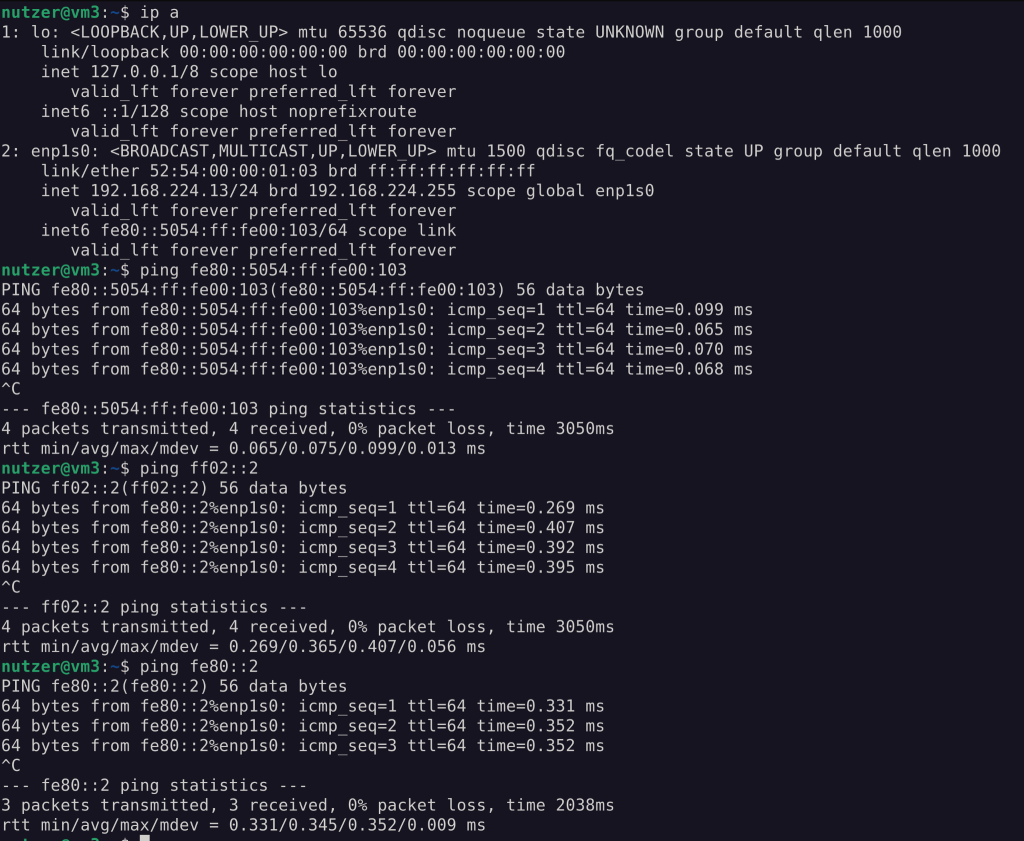
- fe80 link local adresses
- ff02::2 nächste router // ist admin spezifisch. fest vergeben. kein std
- 2600::
- ULA fc und fd
- radvd // router advertisement deamon
- v4
- ip address
- ip route
- ip
- ip link
- ip --br link // single line version
- ifconfig
- route
- arp
- iw
- iwconfig
- iwlist
- iwl??
- nmcli device set wlp... managed no
- rfkill
- rfkill list
- soft block
- hard block
- rfkill unblock 1
- ip link set up dev wlp...
- iw dev wlp... scan
- iw dev ... connectt -w linuxhotel
Beispiele
- netzwerk
- ipv6
- three-subnets
- wlan
- routing
205.2 Advanced Network Configuration (weight: 4)
Candidates should be able to configure a network device to implement various network authentication schemes. This objective includes configuring a multi-homed network device and resolving communication problems.
Key Knowledge Areas
- Utilities to manipulate routing tables
- Utilities to configure and manipulate ethernet network interfaces
- Utilities to analyse the status of the network devices
- Utilities to monitor and analyse the TCP/IP traffic
The following is a partial list of the used files, terms and utilities
- ip
- ifconfig
- route
- arp
- ss
- netstat
- lsof
- ping, ping6
- nc
- tcpdump
- nmap
Beispiele
- tcpdump
- netstat / ss
205.3 Troubleshooting network issues (weight: 4)
Candidates should be able to identify and correct common network setup issues, to include knowledge of locations for basic configuration files and commands.
Key Knowledge Areas
- Location and content of access restriction files
- Utilities to configure and manipulate ethernet network interfaces
- Utilities to manage routing tables
- Utilities to list network states.
- Utilities to gain information about the network configuration
- Methods of information about the recognised and used hardware devices
- System initialisation files and their contents (Systemd and SysV init)
- Awareness of NetworkManager and its impact on network configuration
The following is a partial list of the used files, terms and utilities
- ip
- ifconfig
- route
- ss
- netstat
- /etc/network/, /etc/sysconfig/network-scripts/
- ping, ping6
- traceroute, traceroute6
- traceroute -T -p 80
- -I icmp
- mtr
- hostname
- System log files such as /var/log/syslog, /var/log/messages and the systemd journal
- dmesg
- /etc/resolv.conf
- /etc/hosts
- /etc/hostname, /etc/HOSTNAME
- /etc/hosts.allow, /etc/hosts.deny
- cat /etc/nsswitch.conf | grep hosts
- libnss_files.so.2
- libnns_dns << ließt die /etc/resolv.conf
- getent hosts www.linuxhotel.de
- getent ahosts
- getent ist immer lokal; dig verwenden nicht die nsswitch bibo
- nss-myhostname
- mdns
- hosts: files myhostname mdns_minimal [NOTFOUND=return] mymachines dns
- dig nimmt als fallback /etc/resolf.conf
- getent hält sich an die einstellungen /etc/nsswitch.conf
- .internal einzige die nicht irgendwann verkauft wird
Beispiele
- tcpwrapper
- netstat
- udev
- netzwerk
- dns
205.1 Basic networking configuration
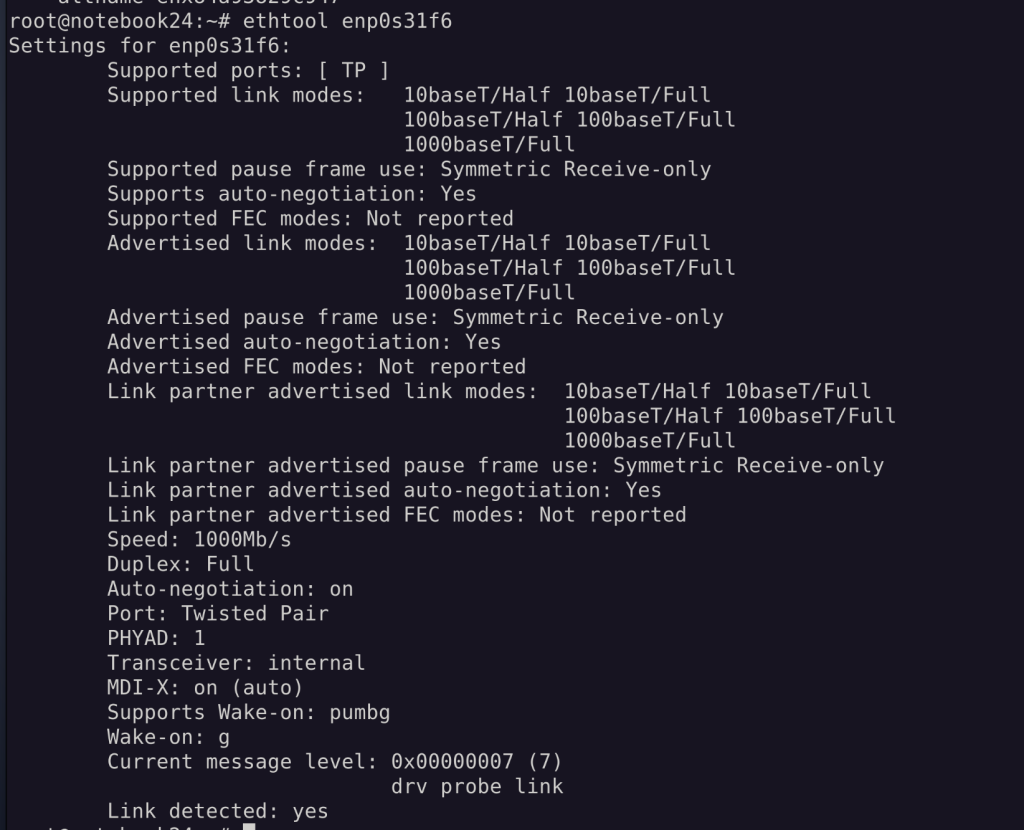


WIFI
nmcli device set wlp0s20f3 managed noroot@notebook24:~# rfkill list
0: tpacpi_bluetooth_sw: Bluetooth
Soft blocked: no
Hard blocked: no
1: hci0: Bluetooth
Soft blocked: no
Hard blocked: no
2: phy0: Wireless LAN
Soft blocked: no
Hard blocked: no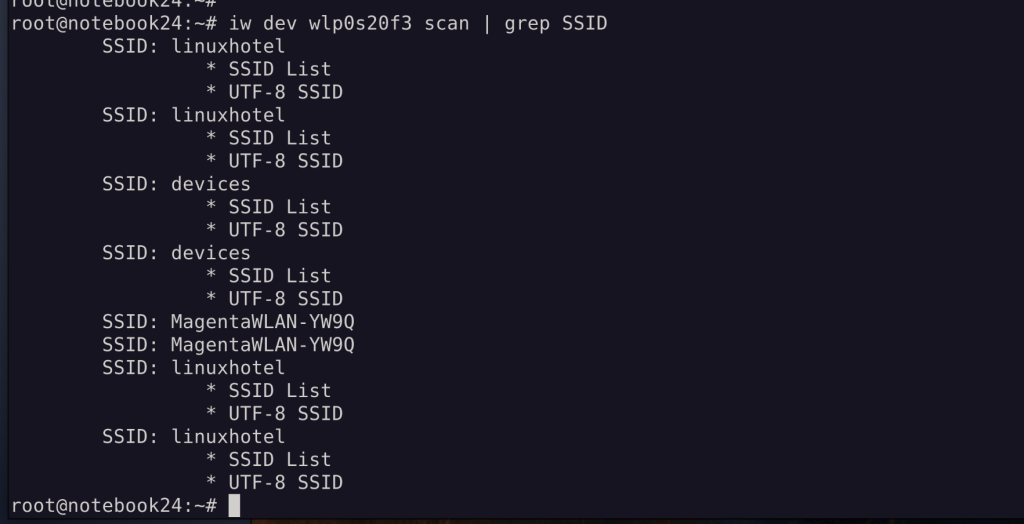

Connect geht nur mit iwl oder wpa_supplicant, da iw ausschließlich unverschlüsselte WLANs verbinden kann.
Arbeiten mit der VM3
IPv4 Konfiguration
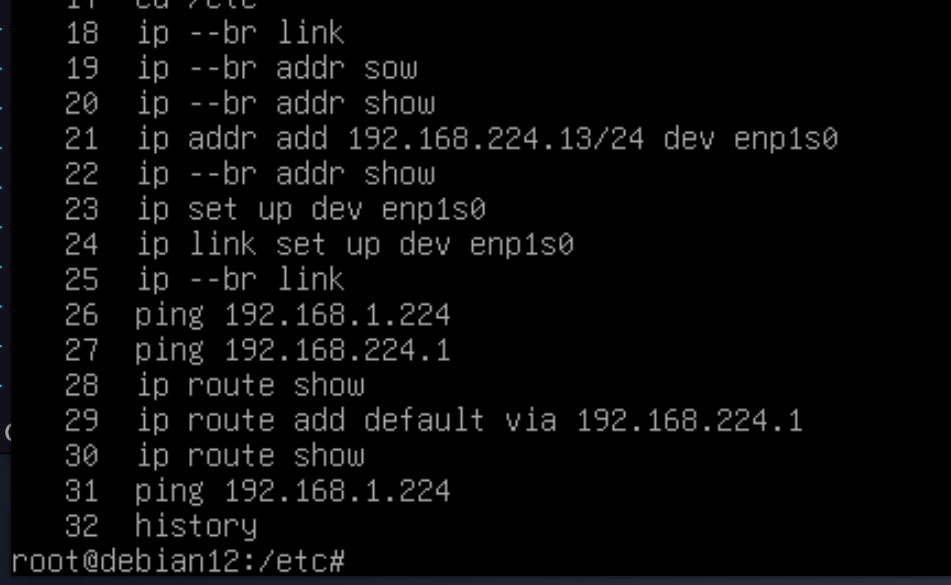
Diese gesetzte Konfiguration ist NICHT reboot fest!
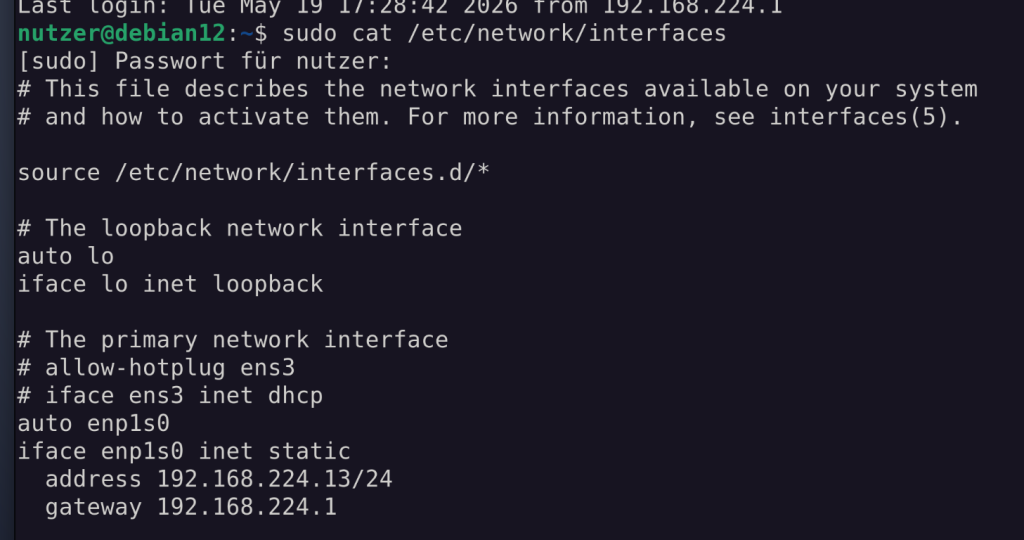
Jetzt ist es reboot fest :D Interfaces, weil Debian 12!
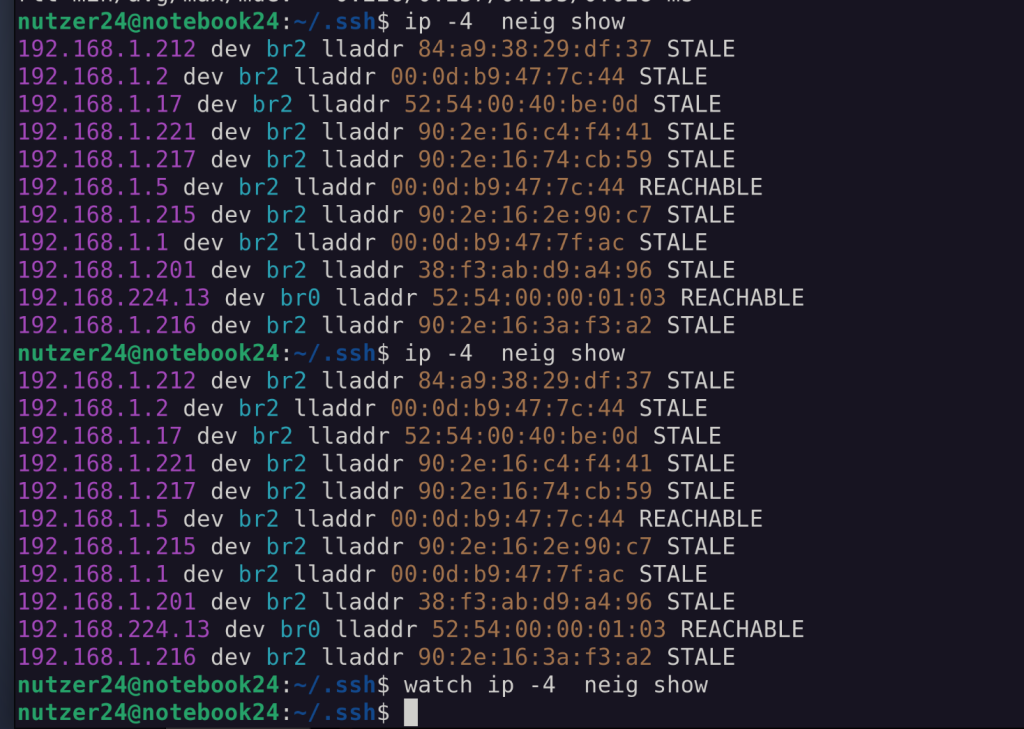
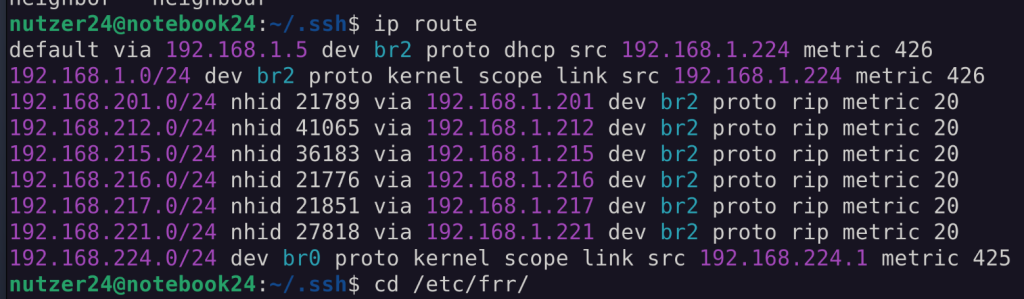
Routing
Für das LAB mit FRR einen RIP Router konfiguriert:
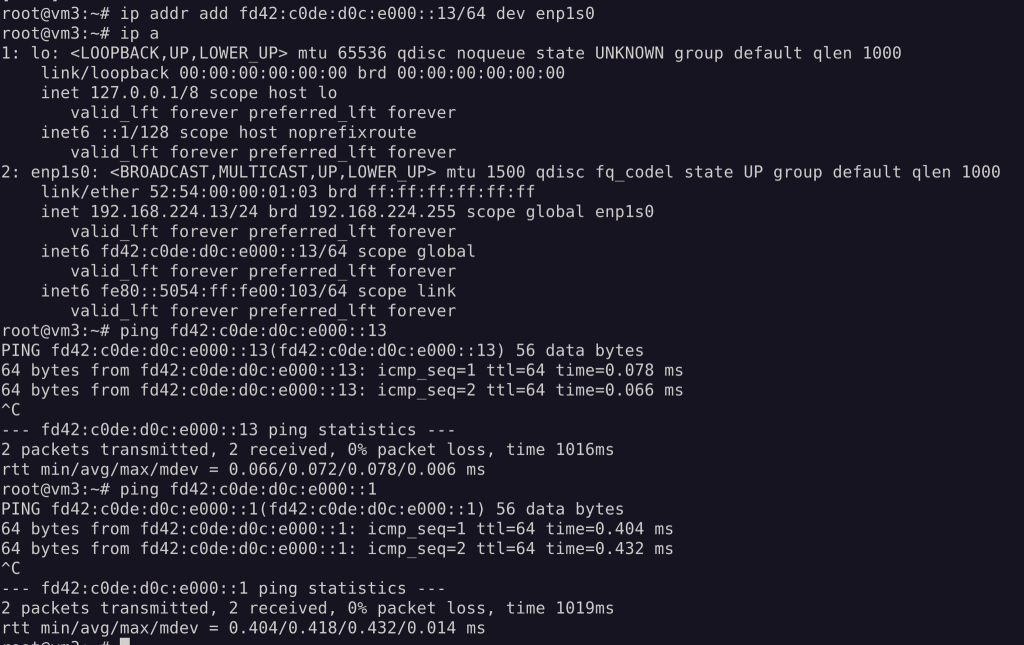
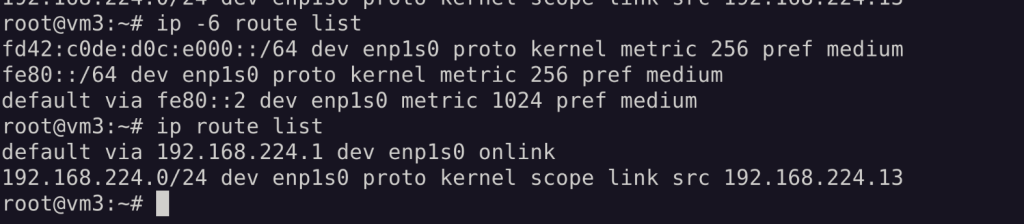
IPv6 Konfiguration
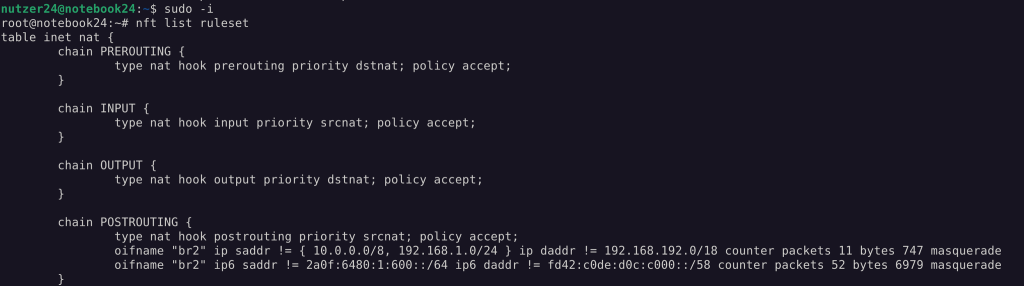
ULA
RADVD
Auf dem Notebook:
apt install radvd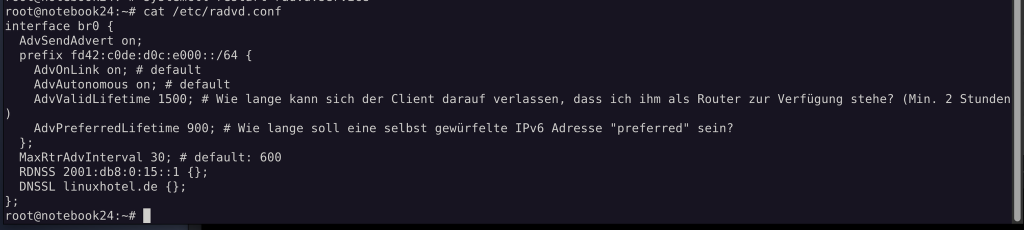
wichtige Ergänzung, damit beim shutdown des RADVD die Präfixe verworfen werden:
DeprecatePrefix on; # Beim Stoppen von radvd soll das Prefix auf eine Lifetime=0 gesetzt werden und beim Client auf deprecated markiert werden.Auf der VM:
apt install ndisc6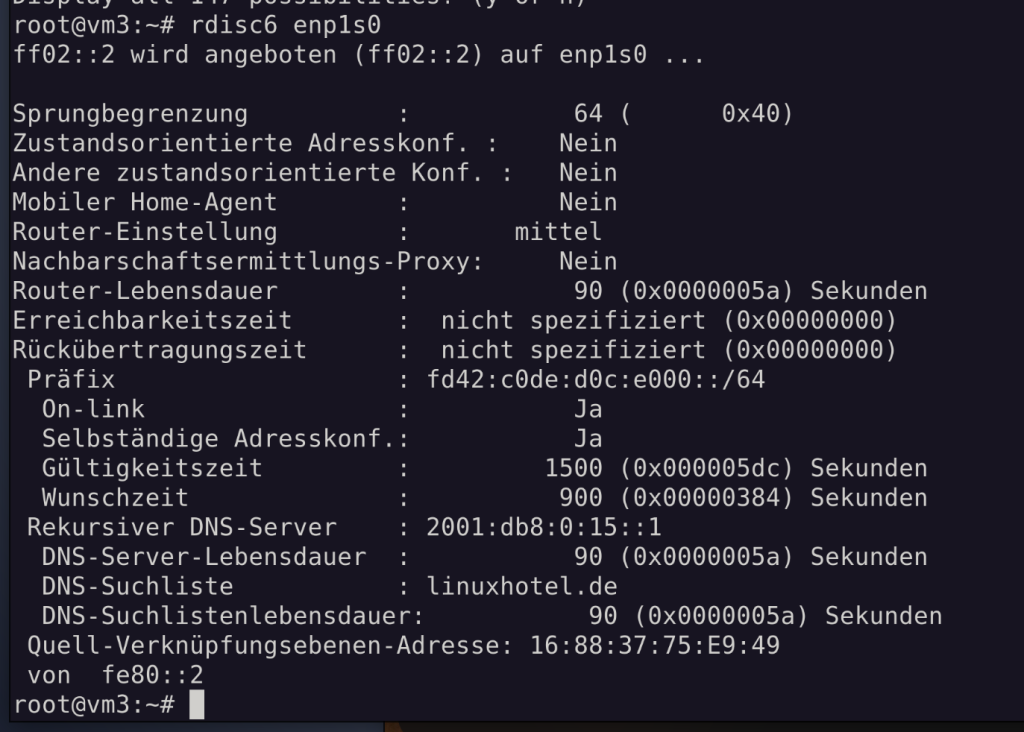
No comments to display
No comments to display